Settings
Units, syncing and your license.
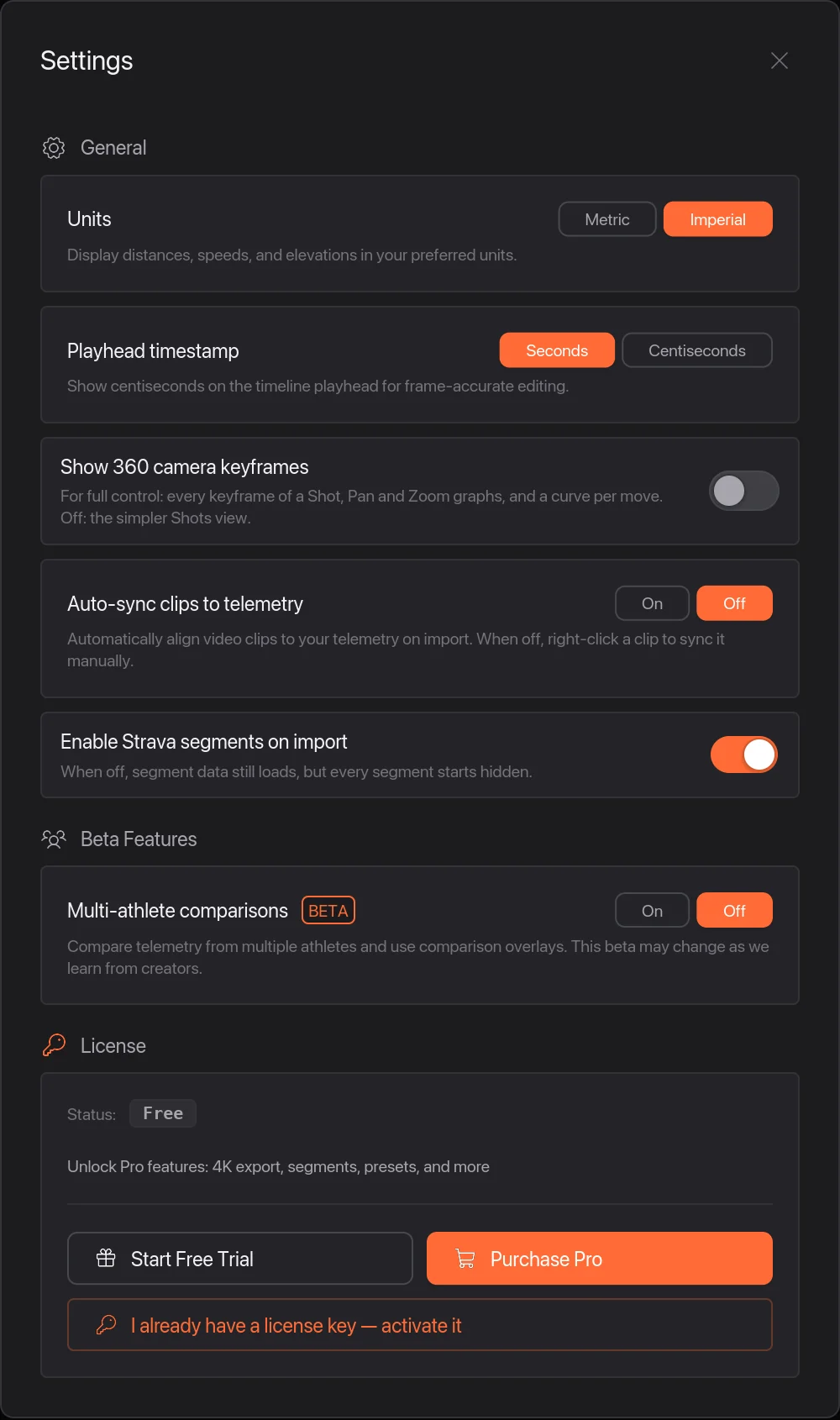
On a Mac, choose Telemetry Studio › Settings… or press ⌘ ,. On Windows, choose Help › Settings… or press Ctrl ,.
1 Units
Metric or Imperial for speed, distance and elevation. You can also set units for a single overlay in the Inspector.
2 Playhead timestamp
Centiseconds shows hundredths of a second on the playhead, for lining things up exactly.
3 Auto-sync clips to telemetry
Off when you install the app. Turn it On to line up every clip with your ride data as soon as you add it, instead of right-clicking each clip. See Add your ride from a FIT or GPX file.
Other settings
Show 360 camera keyframes swaps the simple Shots view of a 360 clip for every keyframe. Enable Strava segments on import decides whether segments from a Strava ride start shown or hidden. Beta Features are things still being tried out.
4 License
Shows whether you're on the free version, the trial or Pro. Start the 14-day free trial, buy Pro, or activate a license key you already have.