Basics
Keyboard shortcuts
On Windows, use Ctrl wherever this page shows ⌘.
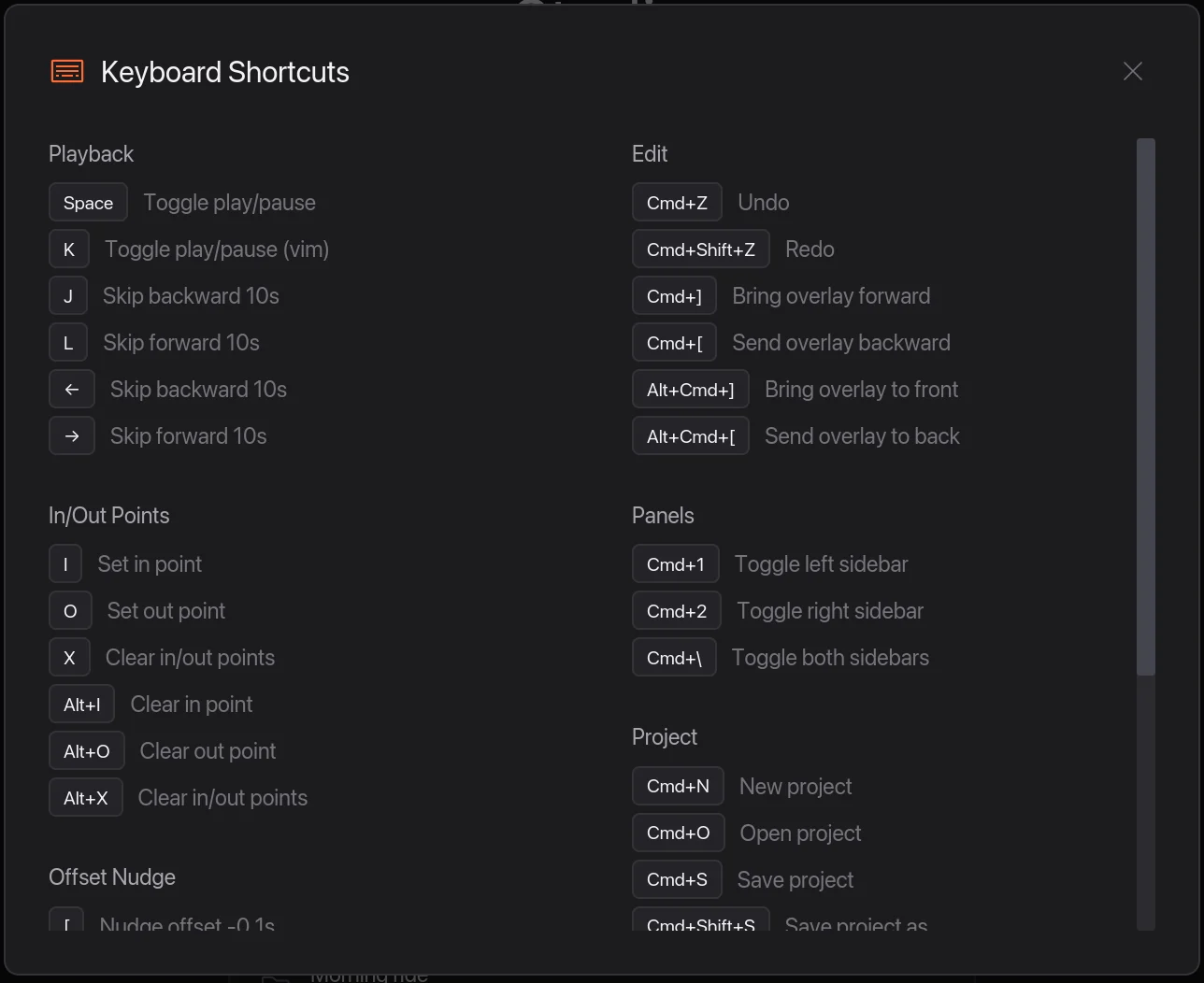
Press ⌘ / to see the main ones in the app.
Playback
| Keys | Does |
|---|---|
| Space | Play or pause |
| K | Play or pause |
| ←orJ | Back 10 seconds |
| →orL | Forward 10 seconds |
| Home | Go to the start |
| End | Go to the end |
Editing
| Keys | Does |
|---|---|
| B | Split the clip at the playhead |
| I | Start the export range here |
| O | End the export range here |
| X | Clear the export range |
| AltI | Clear the start of the range |
| AltO | Clear the end of the range |
| ⌘Z | Undo |
| ⌘ShiftZ | Redo |
Lining up ride data
| Keys | Does |
|---|---|
| [orShift← | Nudge 0.1 seconds earlier |
| ]orShift→ | Nudge 0.1 seconds later |
| Alt← | Nudge 1 second earlier |
| Alt→ | Nudge 1 second later |
Overlays
| Keys | Does |
|---|---|
| ⌘] | Bring the selected overlay forward |
| ⌘[ | Send it backward |
| Alt⌘] | Bring it to the front |
| Alt⌘[ | Send it to the back |
| C | Turn celebration animations on or off |
360 video
| Keys | Does |
|---|---|
| R | Reframe mode on or off |
| 1 – 6 | Add a Shot: Me, Left, Right, Behind, Planet, Wide |
| 7 – 0 | Add one of My Moves |
| ↑or↓ | Previous or next Shot |
| H | Half speed while steering |
Panels and projects
| Keys | Does |
|---|---|
| ⌘1 | Show or hide the sidebar |
| ⌘2 | Show or hide the Inspector |
| ⌘\ | Show or hide both |
| ⌘N | New project |
| ⌘O | Open a project |
| ⌘S | Save |
| ⌘ShiftS | Save as |
| ⌘E | Export video |
| ⌘, | Settings |
| ⌘/ | Keyboard shortcuts |
| Esc | Close a window or deselect |