
Save and open projects
Save your work as a project so you can come back to it, and get it back if the app closes unexpectedly.
Save a project
Choose File › Save or press ⌘ S (Ctrl S on Windows). The first time, pick a name and a folder. File › Save As… (⌘ Shift S) saves a copy under a new name.
A project remembers your clips, ride data, sync, overlays and their styles. It points to your video files rather than copying them, so leave the videos where they are. If they're on an external drive, plug it in before you open the project.
Open a project
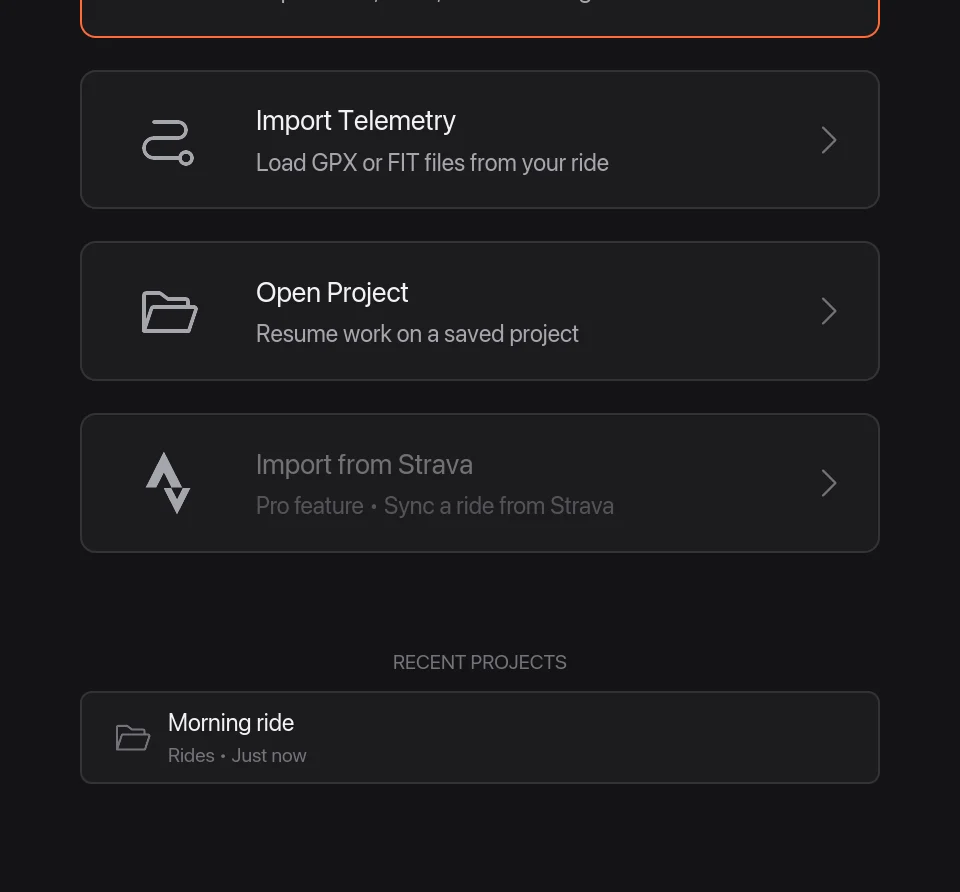
On the welcome screen, click Open Project 1 or one of your Recent Projects 2. From the editor, use File › Open Project… (⌘ O). File › New Project (⌘ N) starts over.
If the app closes unexpectedly
Telemetry Studio keeps a backup of your work every couple of minutes. If it closes before you saved, the welcome screen offers Recover Unsaved Work the next time you open it.